

The Community State Bank new digital banking is now live!
You’ll have access to a fresh, modern design and easier ways to manage your money — from everyday spending to life’s biggest moments.
Download our new mobile app now.



Same Experience on Every Device
Switch from your laptop to your phone without missing a beat. Our new design ensures that the tools and features you use work the same way on every device.

Added Security
We've added extra layers of protection to your login to keep your personal info even safer. It's all about giving you more peace of mind.

Updated Technology
This update allows us to roll out new features and tools even faster, ensuring you always have the best banking technology at your fingertips.
A few simple steps for a smooth start
To ensure a smooth transition to the new TCSB online banking experience, please take these three simple steps today:
-
 Update your contact information: Make sure your mobile phone number and email address are current in our system.
 - Know your credentials: You'll need your current login ID and password to log in the first time, so ensure you have them handy.
-
A note on your secure login: For your security, features like fingerprint or facial recognition will need to be re-enabled the first time you log in to the new app.
Exciting news: The Community State Bank digital banking experience is getting an upgrade!
Starting soon, you’ll have access to a fresh, modern design and easier ways to manage your money — from everyday spending to life’s biggest moments.

Same Experience on Every Device
Switch from your laptop to your phone without missing a beat. Our new design ensures that the tools and features you use work the same way on every device.
Added Security
We've added extra layers of protection to your login to keep your personal info even safer. It's all about giving you more peace of mind.
More Advanced Technology
This update allows us to roll out new features and tools even faster, ensuring you always have the best banking technology at your fingertips.
What you need to know
There’s nothing you need to do right now — but here’s what you’ll need to know once your upgrade is ready:
Frequently Asked Questions:
Do I need to re-enroll, or will my current username and password still work?
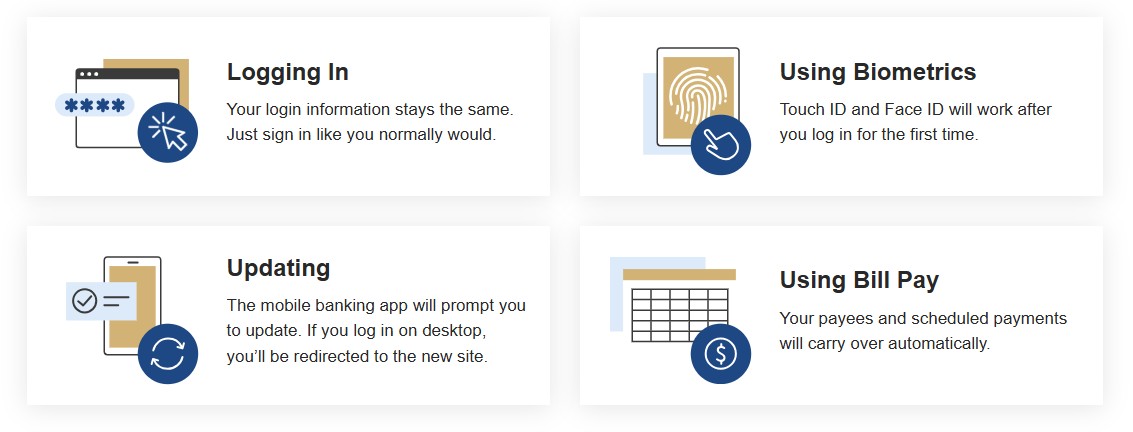
Your username and password will remain the same; no need to re-enroll.
Do I need to download a new mobile app?
Yes, you will need to download our new mobile app. Visit the Apple App Store or Goole Play.
What do I do if I forgot my password?
You can reset your Password by:
- Clicking Forgot Password? on the sign-in screen.
- Enter your Online Banking ID, Email on file and the email Subject (By entering your personal email Subject text in this field, we will add this text to the Password Self-Reset Email we send you so you will know that the email from us concerning your Password is legitimate and was generated by an inquiry of yours.)
Any emails you receive asking for sensitive information that does not contain your personal subject text should be reported immediately. The Community State Bank will never ask you for private information in an email.
Can I still use my Face ID/Fingerprint to log in?
The first time you log in to the updated mobile app, you won't be able to use biometrics such as Face ID/Fingerprint. You'll need to log in with your username and password, and then enable biometrics after you've logged in.
Will I be able to continue to use the same login ID I use today? Even if I changed it from the original TCSB-provided login ID when I first became a customer?
Yes, the customer-set login ID will continue to be used on the new platform.